
Know who was in the room, not who said they would be

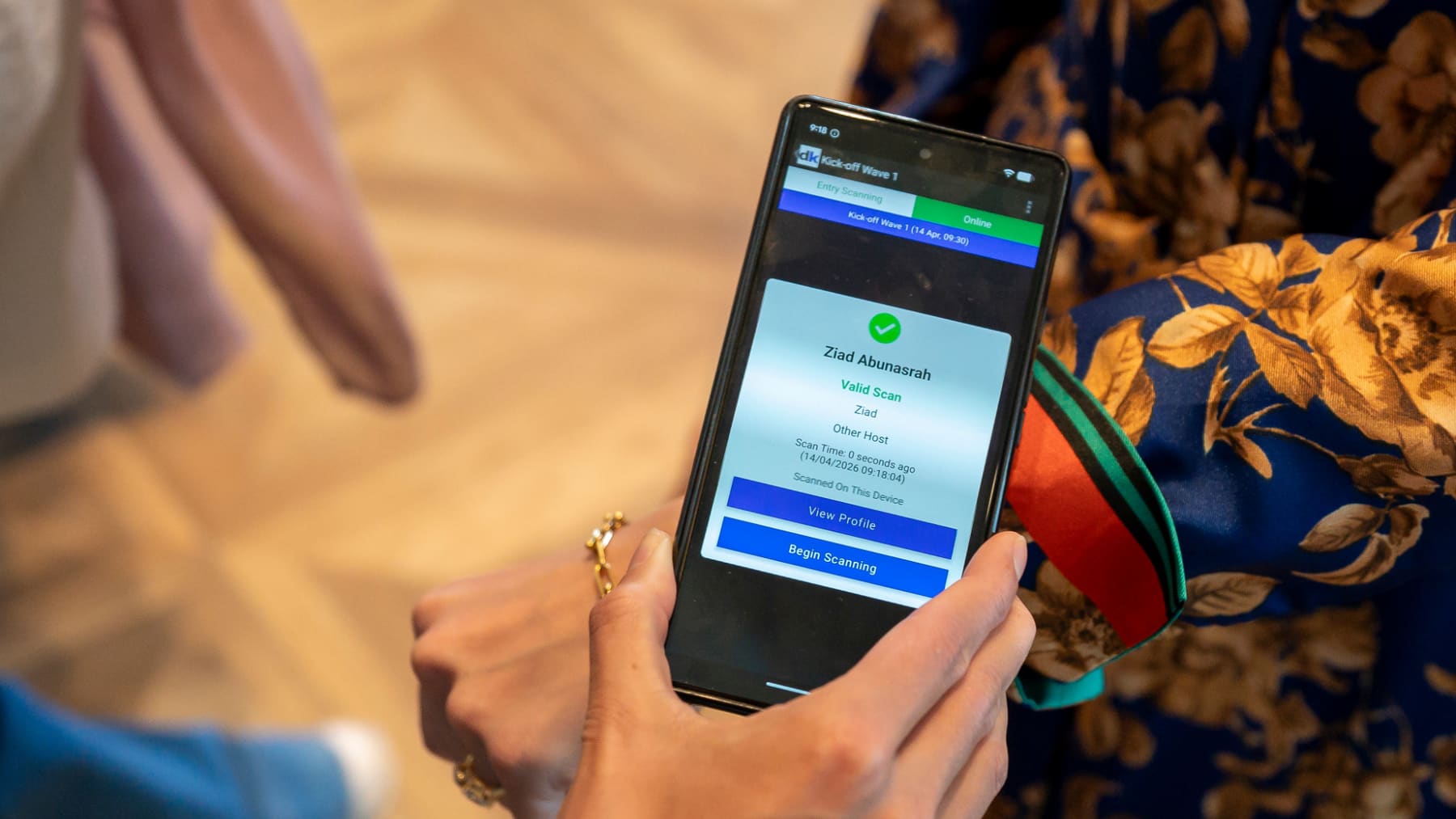
Session scanning records attendance at every keynote, breakout and workshop. Staff scan badges, wristbands or mobile passes at the door, or attendees tap at a self-scan point. You get live room counts during the event and a clean attendee by session matrix afterwards, ready for sponsors, speakers and CPD records.

  • Entry and optional exit scans for dwell time
  • Access rules by session, ticket type or VIP status
  • Live room counts against capacity
  • Attendee by session matrix and no-show lists
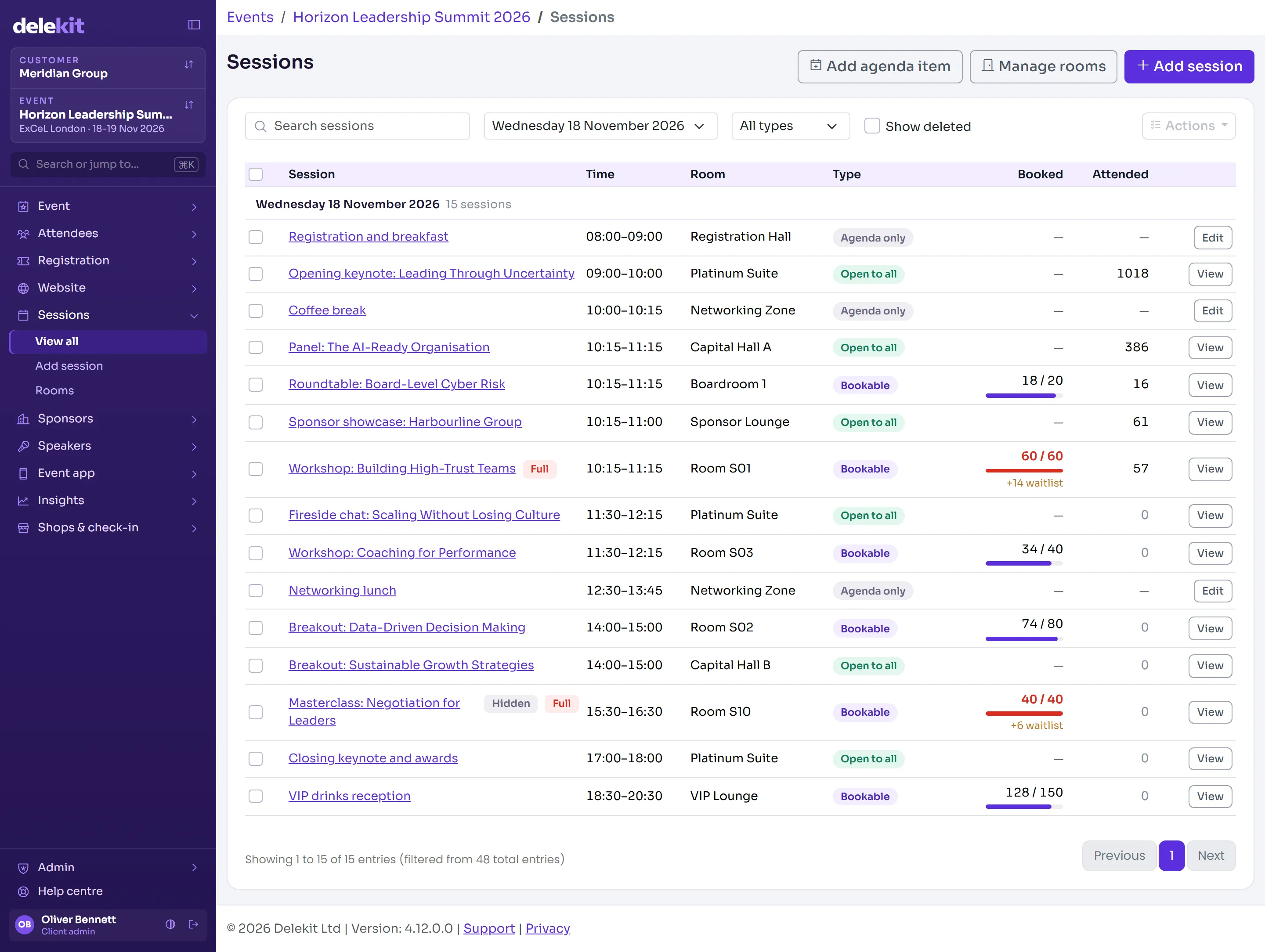
Delekit sessions list with rooms, capacities, bookings and attendance

What you get

Scan on the way in, and out

Scan on entry for attendance. Add exit scanning when you need dwell time or stricter rules, for example where CPD credit requires attendance for the full session.

Open and closed sessions

An open session admits any valid attendee. A closed session admits only those expected, with an instant decline and a reason for everyone else.

Live room counts

See how many people are in every room right now, which sessions are nearing capacity and where to send the overflow.

Hardware to suit the room

Handheld devices for stewards, tablets on stands for self-scan, the Delekit app on standard smartphones, or fixed kiosks outside main theatres.

Reporting your sponsors will read

Share attendance and dwell time for each sponsored session or talk. It is the clearest proof of value you can give a sponsor or speaker.

Follow up by what people actually attended

Export by session or push to your CRM so follow-up emails reflect the sessions each person attended, not the ones they picked months ago.

How it works

  1. Define sessions and rules

    Set time, room and capacity for each session, and who is allowed in. Upload them from a spreadsheet if you like.

  2. Plan credentials and hardware

    Choose QR badges, NFC cards or wristbands, then decide where scanners go and whether they are staffed.

  3. Run it live

    Brief your team on a simple scan workflow and watch the live dashboard to react to busy rooms.

  4. Report and follow up

    Share reports with sponsors and speakers, and send personalised follow-up based on real attendance.

Where teams use it

Multi-track conferences

Parallel breakouts with limited capacity and popular sessions that fill fast.

Training and CPD

Proof of attendance for credits or certification, with entry and exit times.

Associations and membership events

Attendance records for members, often required for accreditation.

Exhibitions with learning theatres

Sponsored sessions where footfall data justifies the spend.

Questions we get asked

Do attendees need an app?

No. Attendees use the badge, wristband or e-ticket they already have. Only your staff or self-scan points need the app.

Can we restrict sessions to certain attendees?

Yes. Restrict by ticket type, invitation or VIP status. Anyone not on the list gets a clear decline on screen.

How big an event can it handle?

From a few hundred attendees to many thousands. Our largest programmes have processed tens of thousands of scans and transactions across multiple destinations.

Tell us about your next event

Send us the brief, the venue and the headcount. We will show you how Delekit would run it, what it would cost and what we would need from you.